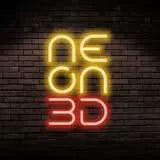
Line 1
Light

💡 Text can be moved
Neon
Vibes
Created in the NEON3D.EU online configurator
Font...
Color...
Backing...
100.50.9.12
How to use the builder
This online builder is intended for informational purposes only. It helps you visualize your idea, but the final result may have technical differences.
Please note:
The actual sign will be manufactured based on a layout prepared by our professional designer.
Only the visualization sent by the consultant is an exact representation of how the finished product will look.
What you need to do:
Choose a suitable font and color.
Arrange the words as you like.
Choose the desired backing shape (square or cut to shape).
Click the "Download Visualization" button.
Send the resulting image to us via Email or WhatsApp (contact details can be found on the "Contact Us" page).
This will help our consultant understand your idea faster and more accurately!
Commercial use of the builder is prohibited. The builder is the property of IK "NEON3D.EU".
Cart is empty.